

Google Gemini for Workspace review productivity features and team workflows – 8 Key Benefits

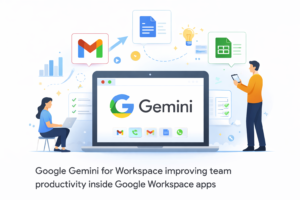
Google Gemini for Workspace review productivity… Google Workspace runs a massive amount of team life: Gmail for communication, Docs for collaboration, Sheets for planning, Slides for storytelling, and Meet for alignment. That ecosystem already powers modern work, but it also creates a familiar problem: information overload. Too many emails, too many docs, too many meetings, and not enough time to turn all of that into decisions. Google Gemini for Workspace is designed to reduce that overload by adding AI assistance directly into the apps teams use every day.
For teams, the value of Gemini isn’t just “write faster.” It’s about compressing and organizing shared context. Summaries of long emails and docs can save hours. Drafting first versions of project plans or customer responses can reduce friction. Assistance in Sheets can make reporting and analysis more accessible to non-experts. And if meeting summaries reliably capture decisions and action items, teams can operate more asynchronously.
This review evaluates Gemini for Workspace in practical team workflows: communication, documentation, analysis, and meetings. The key theme is that embedded AI is most valuable when it sits close to your actual work, not in a separate chat window. But as with any AI assistant, the quality depends on the clarity of inputs and the discipline of teams to review output before acting on it.
How Google Gemini for Workspace works in real teams
Top FeaturesGemini for Workspace is most useful when it reduces the everyday coordination burden across email, documents, and meetings.Gmail drafting and summarization: Draft replies, summarize long threads, and help you respond faster with the right tone.Docs writing assistance: Create outlines, draft documents, rewrite for clarity, and tailor tone for different audiences.Sheets support: Help interpret data, suggest analysis approaches, and turn questions into structured insights.Slides acceleration: Draft slide structure and key talking points from a doc or outline.
Meet productivity: Summarize meetings, highlight decisions, and capture action items for follow-up.Cross-app collaboration: Help teams move from scattered content to coherent updates and plans.The highest ROI features are summarization and first drafts. Teams often waste time rewriting the same context across different surfaces: an email update, a doc memo, and a slide deck.
Gemini can reduce that duplication by quickly producing a baseline that teams refine.To maximize impact, teams should adopt consistent structures: meeting agendas with sections for decisions and actions, docs with clear headings, and shared naming conventions. Gemini performs best when it can “see” organized content. If your Workspace is a tangle of unnamed docs and chaotic email threads, you’ll still get output-but you’ll spend more time validating and correcting it.
Gemini for Workspace is strongest when used to compress information and accelerate drafting across collaborative artifacts.Email: reducing thread fatigueIn Gmail, AI drafting and summarization can be a major time saver for teams juggling many threads. The value is not just speed, but consistency: replies can be clearer and more structured. The risk is subtle errors-wrong commitments, missed details, or a tone that doesn’t match the relationship. Teams should treat AI as a draft writer, not a decision-maker.Docs: faster planning and clearer communicationDocs is where teams plan and document decisions.
Gemini can produce outlines, first drafts, and rewrites that make documents easier to read. This is particularly helpful for roles that write frequently-product, marketing, HR, ops, and leadership. But documents still need human specificity: real constraints, real numbers, and real tradeoffs. AI can’t invent what your team hasn’t decided.Sheets: making analysis less intimidatingSheets is a high-leverage area because many teams rely on it but don’t feel confident in it.
AI support can help users interpret datasets and structure analysis questions. It can reduce the friction of turning “What changed this month?” into a real table, chart, or summary. But for high-stakes reporting, a skilled analyst should still validate calculations and assumptions.Meet: enabling async workMeeting summaries can reduce the “I missed it, can you recap?” problem.
The best outcomes happen when teams make decisions explicit and assign owners in the meeting. AI summaries are then more accurate and actionable. Without that discipline, summaries can blur discussion and commitment.Organizational readinessGemini becomes more valuable as your Workspace becomes more structured: clear permissions, consistent file organization, and a shared habit of documenting decisions. AI thrives in environments where information is already organized. If your team’s knowledge is fragmented, the first improvement is governance and hygiene-then AI becomes the accelerator.Bottom line: Gemini for Workspace can meaningfully increase team productivity in email, docs, and meetings, especially by reducing time spent catching up and rewriting context. It’s best used as a drafting and summarization layer with human review for accuracy.
Verdict: Google Gemini for Workspace is worth it for teams that live in Google apps and feel the daily drag of email overload, documentation churn, and meeting-heavy coordination.The clearest ROI comes from summarization and first drafts: faster catch-up in Gmail, quicker creation of Docs plans and updates, and more actionable Meet recaps. If those capabilities reduce repeated explanations and unnecessary meetings, the value compounds across the whole organization.Gemini is not a substitute for strong decision-making or clean information management. Teams should set simple rules: verify AI-written commitments, review meeting summaries for accuracy, and keep key decisions in canonical docs. Used with those guardrails, Gemini becomes a practical productivity layer that helps teams move faster without losing clarity.
Google Gemini for Workspace Review Productivity Features and Team Workflows in Practice
The Google Gemini for Workspace review productivity features and team workflows become more impactful when analyzed in real business scenarios. Teams today operate across multiple tools, often struggling to keep communication, documentation, and analysis aligned. Gemini addresses this gap by acting as an intelligent layer that connects these workflows.
Instead of switching between Gmail, Docs, Sheets, and Meet to piece together context, users can rely on Gemini to summarize, draft, and organize information. This significantly reduces cognitive load and allows teams to focus on execution rather than coordination.
Reducing Information Overload Across Teams
Information overload is one of the biggest challenges in modern workplaces. Employees spend a large portion of their time catching up on emails, reviewing documents, and attending meetings. Gemini helps reduce this burden by compressing large amounts of information into digestible summaries.
- Summarizes long email threads into key points
- Extracts actionable insights from documents
- Highlights decisions and tasks from meetings
- Reduces the need for repetitive updates
This ability to compress information enables faster decision-making and improves overall productivity. Teams can quickly understand the current state of projects without spending hours reviewing content.
Streamlining Communication with AI Assistance
Communication is at the heart of every organization, and Gemini enhances it by making interactions clearer and more efficient. In Gmail, users can draft responses that are structured, professional, and context-aware.
This is especially useful for teams managing high volumes of communication. Instead of crafting each response from scratch, employees can generate a draft and refine it as needed. This not only saves time but also ensures consistency in messaging.
However, users must review AI-generated responses carefully. Even minor inaccuracies can lead to misunderstandings, especially in client-facing communication.
Accelerating Documentation and Planning
Documentation is essential for aligning teams and maintaining clarity. Gemini enhances this process by enabling faster creation of documents in Google Docs. Users can generate outlines, expand bullet points into full content, and refine language for different audiences.
This is particularly valuable for teams involved in planning and reporting. Instead of starting from a blank page, users can quickly create a structured draft and focus on refining details.
Well-structured documents also improve collaboration. When information is clearly organized, team members can contribute more effectively and make better decisions.
Making Data Analysis More Accessible
Google Sheets is a powerful tool, but not all users are comfortable with data analysis. Gemini lowers this barrier by helping users interpret data and suggest analysis approaches.
Users can ask questions in natural language and receive guidance on how to structure their analysis. This makes data-driven decision-making more accessible to a wider range of employees.
Despite this support, it is important to validate results, especially in critical scenarios. AI can assist with analysis, but it should not replace expert judgment.
Improving Meeting Outcomes with Smart Summaries
Meetings often generate valuable insights, but much of that information is lost or poorly documented. Gemini addresses this by providing summaries that capture key points, decisions, and action items.
This enables teams to move toward more asynchronous workflows. Employees can review summaries instead of attending every meeting, reducing time spent in unnecessary discussions.
To maximize accuracy, teams should adopt clear communication practices during meetings. Explicitly stating decisions and assigning responsibilities ensures that summaries reflect reality.
Cross-Application Intelligence and Workflow Integration
One of Gemini’s strongest features is its ability to work across multiple applications. By connecting Gmail, Docs, Sheets, and Meet, it creates a unified workflow that reduces fragmentation.
This cross-application intelligence allows users to generate insights that span multiple sources. For example, a project update can combine information from emails, documents, and meeting notes into a single coherent summary.
Integration with existing workflows ensures that Gemini enhances productivity without disrupting established processes.
Best Practices for Maximizing Gemini’s Value
To fully leverage Gemini, organizations must adopt best practices that improve both input quality and output reliability. Clear structure and consistency are key factors in achieving optimal results.
- Use clear and descriptive file naming conventions
- Maintain organized folder structures
- Define consistent formats for documents and reports
- Encourage teams to document decisions explicitly
These practices not only improve Gemini’s performance but also enhance overall team efficiency.
Challenges and Limitations to Consider
While Gemini offers significant advantages, it also has limitations. Its effectiveness depends heavily on the quality of input data. Disorganized or incomplete information can lead to less reliable outputs.
Another challenge is over-reliance on AI. Teams must ensure that outputs are reviewed and validated before being used in decision-making processes.
Privacy and data security are also important considerations. Organizations must manage permissions carefully to ensure that sensitive information is protected.
Long-Term Impact on Team Productivity
The long-term impact of Gemini lies in its ability to reshape how teams work. By reducing manual effort and improving information flow, it enables organizations to operate more efficiently.
As teams become more familiar with AI-assisted workflows, productivity gains will continue to grow. Over time, this can lead to significant improvements in performance and competitiveness.
Conclusion: Is Google Gemini for Workspace Worth It?
The Google Gemini for Workspace review productivity features and team workflows clearly show its potential to enhance modern work environments. By streamlining communication, improving documentation, and simplifying analysis, Gemini provides tangible benefits for teams.
For organizations that rely heavily on Google Workspace, Gemini can be a valuable addition. Its ability to reduce friction and improve efficiency makes it a practical tool for increasing productivity.
When used with proper oversight and best practices, Gemini becomes more than just an AI assistant-it becomes a key component of a smarter, more connected workplace.
Driving Strategic Alignment Across Organizations
Beyond individual productivity, Google Gemini for Workspace plays a crucial role in aligning teams around shared goals. In many organizations, misalignment occurs when information is scattered and inconsistently communicated. Gemini helps consolidate this information into clear, structured outputs that teams can easily understand and act upon.
By summarizing updates, extracting key priorities, and organizing project information, Gemini ensures that everyone is working toward the same objectives. This alignment reduces confusion, minimizes duplicated efforts, and enhances overall efficiency.
Enhancing Decision-Making with Contextual Insights
Decision-making often depends on having access to the right information at the right time. Gemini enhances this process by providing contextual insights derived from multiple sources. Instead of manually gathering data from emails, documents, and spreadsheets, users can rely on Gemini to present a comprehensive view.
This allows leaders to make informed decisions بسرعة and with greater confidence. The ability to quickly understand complex situations gives organizations a competitive advantage in fast-paced environments.
- Combines data from multiple sources into unified summaries
- Highlights key trends and patterns
- Supports faster and more informed decisions
- Reduces reliance on manual data gathering
Supporting Knowledge Management and Retention
Knowledge management is a critical challenge for many organizations. Important information is often lost in email threads, meeting discussions, or poorly organized documents. Gemini helps capture and retain this knowledge by turning unstructured content into organized, searchable insights.
This ensures that valuable information remains accessible over time. New team members can quickly get up to speed, and existing employees can reference past decisions without difficulty.
Effective knowledge management not only improves efficiency but also strengthens organizational memory, enabling teams to build on past experiences.
Scaling Workflows Without Increasing Complexity
As organizations grow, workflows often become more complex. Managing this complexity can be challenging, especially when processes rely heavily on manual coordination. Gemini helps scale workflows by automating routine tasks and simplifying information flow.
Teams can handle larger volumes of work without a proportional increase in effort. This scalability is particularly valuable for fast-growing companies that need to maintain efficiency while expanding operations.
By reducing manual overhead, Gemini allows organizations to focus on strategic growth rather than operational bottlenecks.
Improving Employee Experience and Engagement
Employee experience is directly linked to productivity and retention. When employees are overwhelmed with repetitive tasks and information overload, their engagement levels decrease. Gemini addresses this issue by reducing cognitive load and simplifying workflows.
Employees can spend more time on meaningful work and less time on administrative tasks. This not only improves job satisfaction but also enhances overall performance.
A more engaged workforce leads to better outcomes, both for individuals and the organization as a whole.
Adapting to Changing Work Environments
The modern workplace is constantly evolving, with remote and hybrid work becoming the norm. Gemini supports these changes by enabling seamless collaboration across distributed teams. Its ability to summarize, draft, and organize information ensures that team members stay connected regardless of location.
This adaptability makes Gemini a valuable tool for organizations navigating changing work environments. It helps maintain productivity and alignment even as work structures shift.
Continuous Improvement Through AI Integration
AI tools like Gemini are not static; they evolve over time. Organizations that actively use Gemini can benefit from continuous improvements in performance and capabilities. As the technology advances, users can expect more accurate outputs, deeper insights, and enhanced functionality.
Continuous improvement requires ongoing learning and adaptation. Teams should regularly evaluate how they use Gemini and identify opportunities to optimize workflows.
This proactive approach ensures that organizations remain competitive and fully leverage the benefits of AI integration.
Final Perspective on Gemini’s Role in Modern Work
Google Gemini for Workspace represents a significant step forward in how teams manage information and collaborate. Its ability to integrate seamlessly into existing workflows makes it a practical and powerful tool for modern organizations.
By focusing on clarity, efficiency, and alignment, Gemini helps teams navigate the complexities of today’s work environment. It enables smarter decision-making, better communication, and more effective collaboration.
As AI continues to shape the future of work, tools like Gemini will play an increasingly important role in driving productivity and innovation across industries.
Google Gemini for Workspace review productivity…