

How to Charge Your Phone Faster: 15 Proven Tips to Cut Charging Time
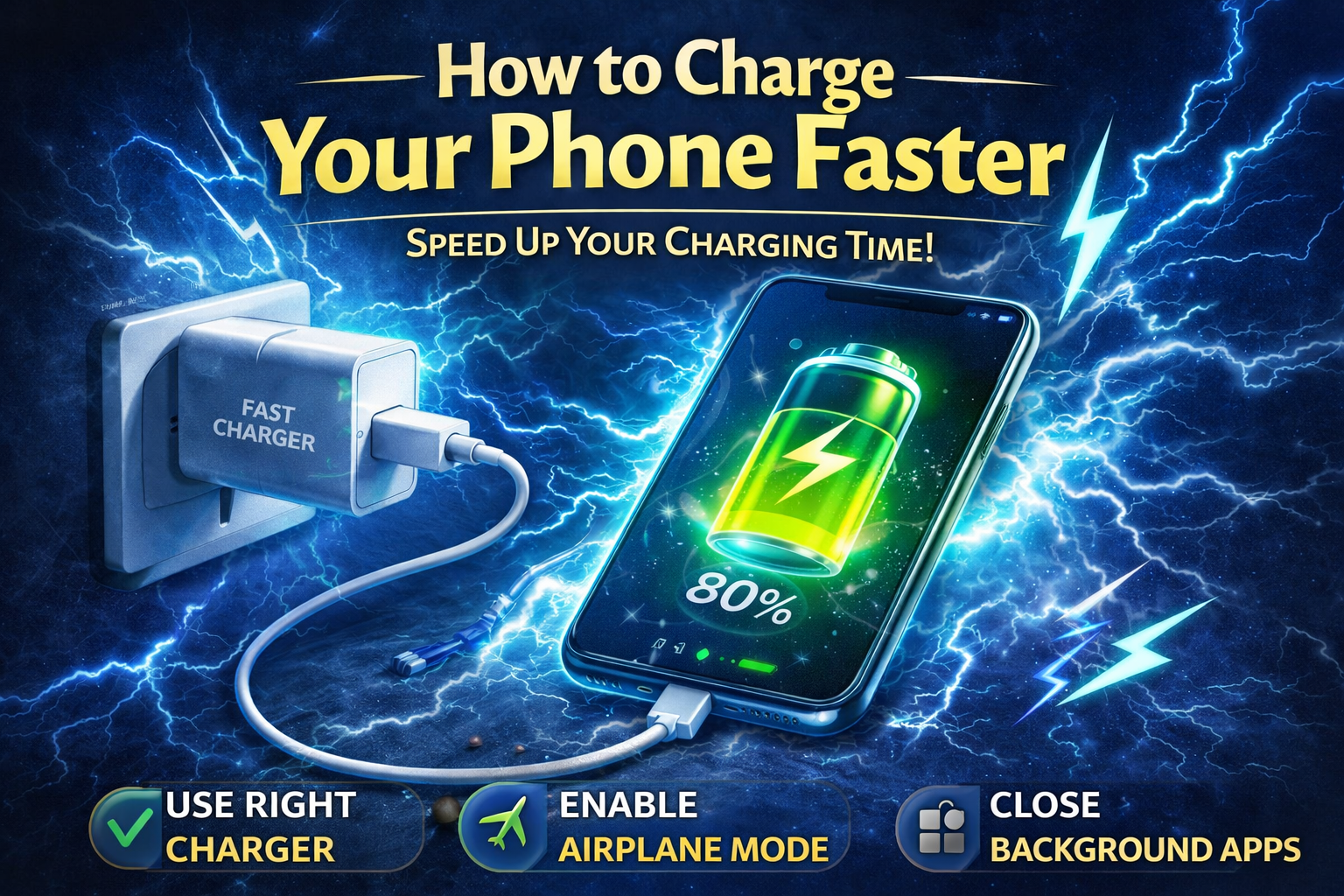
How to charge your phone faster… Did you know that the average person spends over four hours a day staring at their smartphone? With such an essential role in our lives, the last thing you want is to be tethered to a wall outlet for hours waiting for your device to charge. If you’re tired of your phone’s sluggish charging speed, you’re not alone. Fortunately, there are proven strategies to supercharge your charging time and keep you connected without the hassle. Dive in to discover how you can power up your phone faster and reclaim those precious minutes!
How to Charge Your Phone FasterIn today’s fast-paced world, a dead phone can feel like a disaster. Thankfully, there are various strategies you can employ to charge your phone faster. Whether you’re running late for an appointment or just need a quick boost before heading out, these tips will help you power up in no time!
Understanding Charging BasicsBefore diving into the tips, it’s essential to understand how phone charging works. The charging speed is typically measured in watts (W), which is a product of voltage (V) and current (A). In simple terms, higher wattage means faster charging. Here are some key terms you should know:
#
1. Use the Right ChargerUsing the original charger that came with your phone is the best way to ensure optimal charging speed. However, if you have to use a third-party charger, make sure it meets the following criteria:
#
2. Enable Airplane ModeWhen you put your phone in Airplane Mode, it disables all wireless connections, reducing the power consumption significantly. This allows your phone to focus all its energy on charging.
#
3. Avoid Using Your Phone While ChargingUsing your phone while it’s charging can slow down the process significantly. Activities like gaming or streaming consume a lot of power, which can counteract the charging speed.
#
4. Charge in a Cool EnvironmentHeat is the enemy of your phone’s battery. Charging in a hot environment can slow down the charging process and can even damage your battery in the long run.
#
5. Use a Wall Charger Instead of USB PortsCharging your phone from a wall outlet typically provides a faster charge than using a computer USB port. This is because wall chargers usually supply higher wattage.
| Charger Type | Charging Speed | Ideal Use | |
| Wall Charger | Fast (up to 25W) | Daily charging | |
| USB Port (Computer) | Slow (5-12W) | Data transfer | |
| Wireless Charger | Moderate (5-15W) | Convenience |
Background apps can drain your battery and slow down the charging speed. Close any unnecessary apps running in the background to speed up the charging process.
#
7. Invest in a Fast ChargerIf your phone supports fast charging, consider investing in a fast charger. These chargers can significantly reduce charging times, giving you more time to enjoy your device.
By following these tips, you can ensure that your phone charges faster and stays powered throughout your busy day. Experiment with these methods to see which combination works best for you. After all, in a world where every second counts, having a charged smartphone can make a considerable difference! Happy charging!
In conclusion, charging your phone faster can be achieved by using the right charger, enabling airplane mode, and avoiding usage during charging. Implementing these tips can significantly reduce your charging time and keep your device ready for use when you need it. What methods have you found effective for speeding up your phone’s charging? Share your experiences in the comments!
Why Charging Speed Matters More Than Ever
Understanding how to charge your phone faster is no longer just a convenience issue. Smartphones have become central to work, communication, navigation, entertainment, banking, and daily planning. When your battery runs low at the wrong moment, it can interrupt meetings, delay travel plans, or leave you disconnected during an emergency. That is why charging efficiency matters so much in modern life.
Faster charging also improves flexibility. Instead of leaving your phone plugged in for long periods, you can top it up quickly before leaving home, between meetings, or while getting ready in the morning. For busy people, even a 15
However, charging faster is not only about plugging in a more powerful charger. It also depends on your phone model, battery condition, cable quality, charging habits, background activity, temperature, and charging source. When all of these factors work together, your phone can recharge much more efficiently.
How Phone Charging Actually Works
To get better results, it helps to understand what happens during charging. A smartphone battery does not charge at the exact same speed from 0 to 100 percent. In most cases, charging is fastest in the lower and middle ranges, then slows down as the battery approaches full capacity. This slowdown is intentional and helps protect long-term battery health.
Your phone, charger, and cable work together to determine how much power can be delivered safely. Even if you own a high-watt charger, your phone will only draw the amount it is designed to accept. For example, if your phone supports 25W charging and you use a 45W charger, the device may still charge only at 25W. On the other hand, if your charger can provide only 10W, your phone may be limited to that lower speed even if it supports more.
This is why faster charging depends on compatibility, not just raw charger power. The cable also matters. A cheap or damaged cable may reduce performance significantly, especially if it cannot handle higher current safely.
How to Charge Your Phone Faster with the Right Charger
The first and most important step in learning how to charge your phone faster is using the correct charger. Many people assume all chargers perform the same way, but there can be a huge difference between a low-power adapter and a proper fast charger that matches your phone’s requirements.
Original chargers from the manufacturer are often the safest option because they are built to work with the device’s charging standards. If you buy a third-party charger, choose a reputable brand and confirm that it supports your phone’s fast-charging protocol. Some phones charge best with USB Power Delivery, while others rely on brand-specific charging systems.
Using an underpowered charger may still charge your phone, but much more slowly. A tablet or laptop charger can sometimes work well if it uses a compatible standard, but random bargain chargers can create inconsistent performance and, in some cases, safety risks.
15 Proven Tips to Charge Faster and More Efficiently
1. Use a Certified Fast Charger
If your phone supports fast charging, make sure the charger itself supports it too. A certified fast charger delivers the correct amount of power in a controlled way. This is one of the easiest and most effective ways to reduce charging time.
2. Choose a High-Quality Cable
Cables are often overlooked, but they play a major role in charging performance. A worn, bent, frayed, or low-quality cable may slow charging even if the charger is powerful. For best results, use a certified cable rated for the wattage your charger and phone support.
3. Plug into a Wall Outlet
Charging from a wall socket is usually much faster than charging through a laptop, desktop, or car USB port. Computer USB ports often provide limited current, especially older ones. A wall charger is typically the best option for quick charging at home or at work.
4. Turn on Airplane Mode
Airplane mode disables many background wireless functions such as cellular data, WiFi, and Bluetooth. This reduces the phone’s power consumption while charging. As a result, more incoming power goes toward charging the battery instead of running active connections.
5. Stop Using the Phone While It Charges
One of the biggest reasons a phone charges slowly is active usage. Watching videos, gaming, video calling, and using GPS-heavy apps create ongoing power drain. In some cases, the phone is charging and losing energy at the same time. If you need a fast boost, leave the screen off and let the phone rest.
6. Close Battery-Heavy Background Apps
Apps can keep working in the background even when the screen is not actively in use. Social media, navigation, cloud sync, streaming, and messaging apps can all continue using power. Closing unnecessary apps before plugging in can help your battery recover faster.
7. Remove Thick Cases During Charging
Some phone cases trap heat, especially thick rubber, leather, or rugged protective cases. Since heat can slow charging and stress the battery, removing the case during charging may improve efficiency. This is particularly helpful if your phone already gets warm while charging.
8. Charge in a Cool Place
Temperature has a major impact on charging speed. A phone charging in direct sunlight, inside a hot car, or under a pillow may slow itself down to protect the battery. Placing the phone in a cool, ventilated area helps it maintain better charging performance.
9. Use Battery Saver Before Charging
Battery saver or low power mode reduces background activity and can make charging more efficient. Some phones automatically reduce visual effects, sync frequency, and app refresh when this mode is enabled. That means less power is consumed while the battery is trying to refill.
10. Avoid Wireless Charging When Speed Matters
Wireless charging is convenient, but it is often slower than wired charging. It also generates more heat in many cases. If your priority is getting the fastest possible charge, a wired fast charger will usually outperform a wireless pad.
11. Clean the Charging Port Carefully
Dust and lint in the charging port can interfere with the connection between the cable and the phone. If charging feels inconsistent or slower than usual, the port may need cleaning. Use care and avoid damaging the connector. A clean, solid connection helps power transfer more reliably.
12. Restart the Phone Occasionally
If the device has been running for a long time or acting unusually slow, a restart can help. This closes stuck background processes, refreshes system activity, and may reduce unnecessary battery drain. After restarting, the phone may charge more efficiently.
13. Update System Software
Phone manufacturers sometimes release software updates that improve battery management, charging behavior, or performance efficiency. Keeping the device updated helps ensure it is working as intended, especially on newer models with advanced charging features.
14. Avoid Cheap Multi-Port Adapters
Low-quality adapters or power strips with built-in USB ports may split power poorly or deliver inconsistent output. If you want maximum charging speed, plug your main charger directly into a reliable wall socket or high-quality power strip.
15. Charge Before the Battery Gets Critically Hot or Drained
Extremely low battery, intense phone use, and high internal temperature can all affect charging behavior. If possible, charge your phone before it becomes completely drained and avoid doing so right after heavy gaming or long camera sessions that heat the device up.
How to Charge Your Phone Faster Without Damaging the Battery
Many people worry that faster charging always harms battery health. In reality, modern smartphones are designed with battery management systems that regulate charging speed, heat, and voltage. Fast charging itself is not necessarily dangerous when you use proper accessories and follow safe charging habits.
The bigger problem is usually excess heat. Heat is one of the main factors that can reduce long-term battery health. That is why keeping the device cool matters so much. Using a trusted charger, avoiding heavy usage during charging, and removing heat-trapping cases can all help protect the battery while still allowing efficient charging.
Another smart habit is not obsessing over reaching 100 percent every time. Many batteries experience less stress when they are kept between moderate charge levels. While this is more important for long-term battery care than speed, it can also influence how efficiently the phone charges day to day.
Common Charging Mistakes That Slow Everything Down
Sometimes charging problems are caused by habits that seem harmless. One common mistake is charging from a laptop USB port and expecting wall-charger performance. Another is using old cables long after they have started wearing out internally. Some people also keep dozens of apps open, leave brightness at maximum, and stream content while wondering why the battery barely increases.
Another mistake is charging in bed under blankets or pillows. This traps heat and may force the phone to reduce charging speed for protection. Using low-quality adapters from unknown brands can also slow charging or cause unstable performance.
Even battery age matters. If your phone is several years old and the battery has degraded significantly, it may not charge as quickly or hold power as efficiently as before. In those cases, no charger trick will fully restore original performance.
How Phone Settings Affect Charging Speed
Your phone’s settings can either help or slow down charging. Screen brightness is one obvious factor. A bright screen consumes significant power, especially on larger displays. Notifications, background sync, location services, Bluetooth scanning, live widgets, and app refresh can all use energy while the phone is plugged in.
Turning off unnecessary features for even 15 to 20 minutes can make a real difference. If you need a quick top-up before leaving the house, keep the screen off, enable airplane mode or low power mode, and let the phone charge without interruption. The less energy the phone spends during that time, the more goes into the battery.
Some phones also include optimized charging settings designed to preserve battery life by slowing overnight charging. If your phone seems slower than expected at certain times, it may be intentionally managing the process based on your routines. This is not always a problem. It is often a protective feature.
Wired vs Wireless Charging
Wireless charging is convenient for desks, nightstands, and casual top-ups, but it is usually not the fastest method. Wired charging generally provides a more direct and efficient power transfer. Wireless charging may also produce more heat, especially if the phone is slightly misaligned on the pad.
That does not mean wireless charging is bad. It can be very useful for convenience and reducing cable wear. But if your goal is to learn how to charge your phone faster in the shortest possible time, wired charging is usually the better option.
Magnetic wireless charging systems can improve alignment and convenience, but they still often lag behind high-speed wired charging. If speed is your top priority, keep a proper wired fast charger ready for busy moments.
How to Charge Your Phone Faster in the Car
Car charging can be surprisingly slow when the adapter is weak. Many people plug into an older car USB port and assume their phone should charge quickly, but those built-in ports often deliver low power. If you spend a lot of time commuting, a high-quality fast car charger can make a major difference.
Choose a car charger that supports your phone’s fast-charging standard and use a good cable with it. Also remember that navigation, music streaming, Bluetooth, and screen-on driving modes consume power constantly. If you are using GPS and charging at the same time, your phone may gain battery much more slowly than expected.
Heat is also a factor in cars. A phone charging on a dashboard in direct sun may slow itself down significantly. Keeping it in a ventilated mount or cooler area can help.
Signs Your Charger or Cable Is the Problem
If your phone used to charge quickly and now seems much slower, the accessories may be the issue. Signs of a problem include the charger getting unusually hot, the cable feeling loose in the port, charging starting and stopping, or the phone displaying warnings about moisture or unsupported accessories.
A cable may look normal on the outside while being damaged internally. Likewise, a charger can lose efficiency over time or fail to negotiate proper fast-charging speeds. If possible, test the phone with another trusted charger and cable combination. If charging improves immediately, you have likely found the cause.
It is also worth checking the charging port itself. Pocket lint is a very common reason phones do not connect securely. Even a small amount of debris can prevent full contact.
How Battery Health Changes Charging Performance
As batteries age, they lose capacity and sometimes become less stable under load. A healthy battery accepts and holds charge more efficiently than a worn one. If your phone battery is old, it may heat up faster, drain faster, or charge less predictably.
This does not always mean the phone is failing. It may simply mean the battery has gone through hundreds of charge cycles and is no longer performing like new. In some cases, replacing the battery can dramatically improve both daily battery life and charging behavior.
If your phone supports battery health monitoring, it can be useful to check that information. A severely degraded battery may be one reason charging no longer feels fast, even when you use the correct accessories.
Best Charging Habits for Everyday Use
Fast charging matters, but daily habits matter too. A good routine is to keep one reliable fast charger in the places where you most often need power, such as your bedroom, work desk, or travel bag. This reduces the temptation to use weak backup chargers that slow everything down.
It also helps to top up strategically. Short charging sessions during the day can be more convenient than waiting until the battery is nearly empty. If you know you will be out for several hours, a 15
For long-term battery care, try to avoid excessive heat, poor-quality chargers, and constant heavy use while plugged in. Charging smarter is often more effective than simply charging longer.
Fast Charging Myths You Should Ignore
There are many myths around phone charging. One of the most common is that using your phone while charging does not matter. In reality, heavy use can drastically reduce effective charging speed. Another myth is that any charger with a higher watt number will always charge faster. That is only true when the phone, cable, and charging standard all support it.
Some people also believe you must always drain the battery to zero before recharging. That advice is outdated for modern lithium-ion batteries. In fact, full deep discharges are generally not necessary and can be less ideal than moderate top-ups.
Another myth is that overnight charging always ruins the battery. Modern phones are usually smart enough to manage overnight charging safely, though heat and charger quality still matter. The issue is less about time alone and more about temperature, battery health, and charging conditions.
How to Charge Your Phone Faster When You Only Have 15 Minutes
If you are in a hurry, the best strategy is to combine several methods at once. Use a proper wall-based fast charger, switch on airplane mode, turn off the screen, remove the case if the device gets warm, and avoid touching the phone during the session. This creates the most efficient charging environment possible.
Even short sessions can become much more effective when the phone is not spending power on background tasks, heat management, and active screen use. If you only have a few minutes, do not waste them with weak cables or USB ports that trickle power too slowly.
A focused 15-minute fast charge can often provide enough battery for several hours of moderate use when everything is set up correctly.
Final Thoughts
Learning how to charge your phone faster comes down to combining the right hardware with smarter habits. The charger matters, the cable matters, the power source matters, and your phone’s temperature and activity level matter too. When all of these elements work together, charging becomes much faster and more reliable.
The simplest improvements often make the biggest difference: use a certified fast charger, choose a good cable, plug into a wall socket, enable airplane mode, avoid using the phone while it charges, and keep the device cool. These steps can save time every single day.
Whether you need a quick boost before heading out or just want a more efficient routine, these strategies can help you get the most from your battery without unnecessary waiting. A faster charge means less time stuck near an outlet and more time actually using your phone when it matters.