

Rage Prompt: 11 Powerful Rules for Better AI Outputs
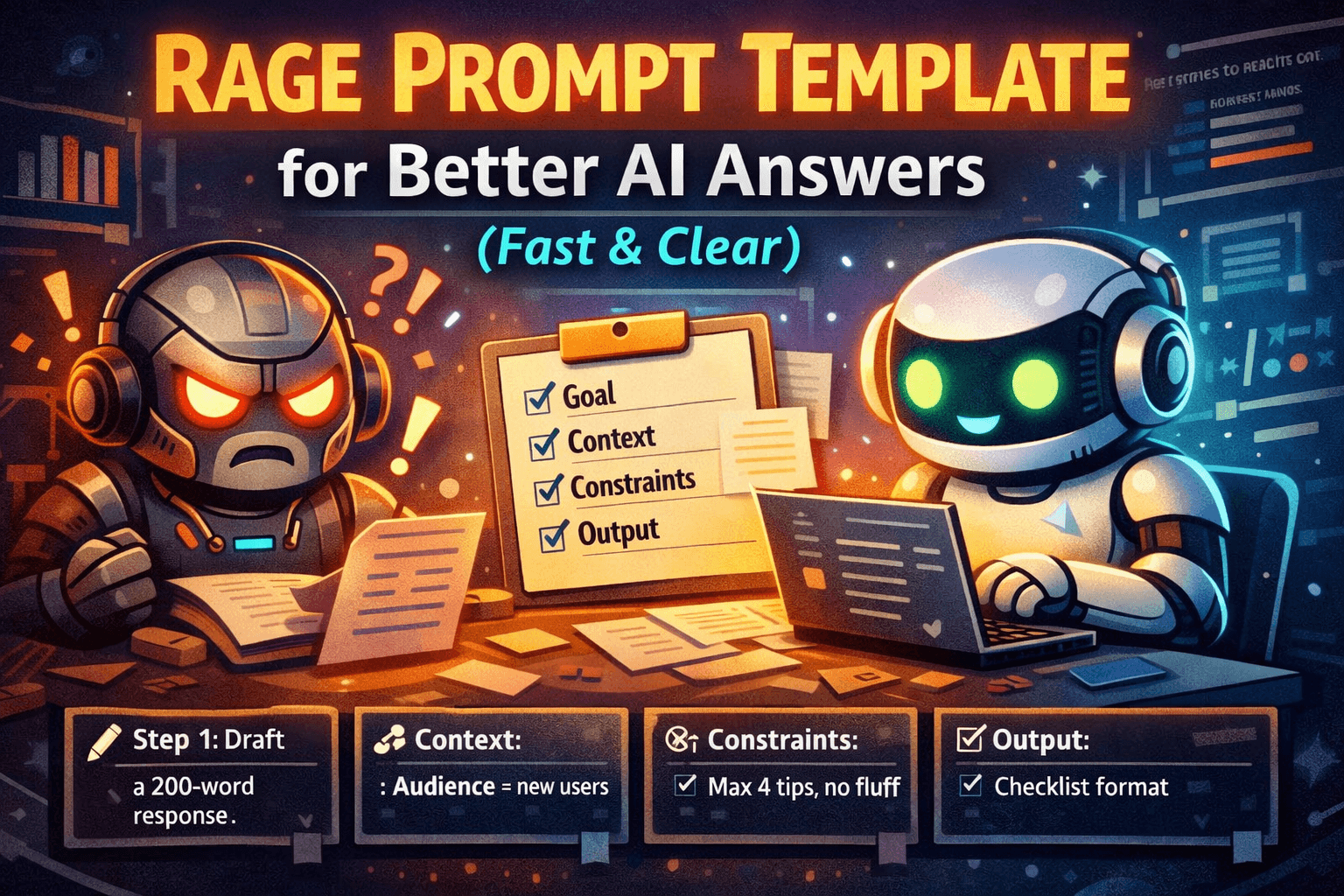
A “rage prompt” is not about being rude to an AI. It’s a practical prompting style that removes ambiguity and forces useful structure. Instead of chatting politely and hoping the model guesses what you want, you give it a clear goal, relevant context, strict constraints, and a required output format.
This matters because most weak AI outputs come from underspecified prompts. If you don’t define the deliverable, scope, or success criteria, the model fills gaps with generic advice. A rage prompt fixes that with a repeatable framework you can reuse for writing, planning, analysis, and templating.
In this guide, you’ll learn the core concepts, a step-by-step method, real copy-paste examples, common mistakes, advanced tactics, an FAQ, and a reusable prompt library you can save as your default.
Why It Matters / Benefits
- Faster usable outputs: You get deliverables (plans, drafts, checklists), not rambling paragraphs.
- More relevant responses: Constraints and scope prevent irrelevant tangents.
- Lower hallucination risk: You force assumptions and uncertainty flags instead of silent guessing.
- Easier iteration: A consistent format makes revisions simple and quick.
- Reusable workflows: You can build a personal prompt library and stop starting from zero.
Key Concepts
Goal (Deliverable)
Definition: The exact outcome you want the AI to produce. A goal is a deliverable, not a topic.
Mini example: “Draft a 120-word refund reply that offers two options and ends with a question.”
Context (What the AI can’t guess)
Definition: Facts and inputs needed to do the job correctly: audience, policies, tools, constraints, and what you already have.
Mini example: “Audience: first-time buyers. Policy: 14-day refunds. Order delayed 5 days.”
Constraints (Quality rules)
Definition: Hard rules that define “good”: length, tone, format, must-include items, must-avoid items.
Mini example: “No hype. No emojis. Simple US English. Include 3 options.”
Output Format (Structure)
Definition: The exact structure the AI must return (steps, bullets, headings, tables). Format is the fastest way to prevent fluff.
Mini example: “Return: (1) 5-step plan, (2) checklist, (3) risks + mitigations.”
Clarifying Questions (Limited)
Definition: A controlled “ask up to N questions” rule. It prevents wrong assumptions without wasting time.
Mini example: “Ask up to 2 questions only if needed; otherwise proceed with assumptions labeled.”
Step-by-Step Guide
- Write the deliverable first. Start with “My goal is…” and name the output you want (draft, plan, checklist, analysis). Action: Replace “help me” with a deliverable verb: draft, generate, outline, critique, simplify, compare, diagnose.
- Add only the context the AI cannot infer. Include audience, constraints, and any must-know facts. Action: Use a short “Context:” block with 3-7 bullets.
- Set constraints that force quality. Length, tone, scope, must-includes, and must-avoids. Action: Add 5-10 rules under “Constraints:”.
- Specify the response format. Tell the model exactly how to structure the answer. Action: Add “Output format:” and list required sections.
- Limit clarifying questions. Cap at 1-3 questions to avoid stalling. Action: Add: “Ask up to 2 clarifying questions only if required; otherwise proceed.”
- Add an uncertainty rule. Prevent confident guessing. Action: Add: “If you’re unsure, say so. Don’t invent details.”
- Iterate once with targeted feedback. Ask for a revision: tighter, simpler, more specific, or more structured. Action: Use: “Revise using these notes: …”
Real Examples
Example 1: Turn messy notes into meeting minutes
My goal is to turn the notes below into meeting minutes I can send to a team.
Context:
Meeting type: weekly project sync
Audience: PM, design, engineering
Notes include side comments
Constraints:
Under 250 words
Use headings + bullet points
Extract action items with owners and due dates (use TBD if missing)
Do not invent decisions not supported by notes
Output format:
1) Summary (3 bullets)
2) Decisions
3) Risks/blocks
4) Action items (Owner, Due date, Task)Ask up to 2 clarifying questions only if absolutely required. Notes: [PASTE NOTES]
Example 2: Polite but firm customer support reply
My goal is to draft a customer support reply email.
Context:
Issue: customer wants a refund after 20 days
Policy: 14-day refunds, can offer store credit
Tone: calm, respectful, confident
Constraints:
90-130 words
No blame language
Offer 2 options (store credit or exchange)
End with a clear next step question
Output format:
Subject line
Email body
Ask up to 1 clarifying question if needed; otherwise proceed. Customer message: [PASTE MESSAGE]
Example 3: 7-day content plan with deliverables
My goal is a 7-day content plan with daily deliverables.
Context:
Topic: [YOUR TOPIC]
Audience: beginners
Platform: WordPress blog + email newsletter
Constraints:
Each day must produce a tangible output (outline, draft, edit, publish, distribution)
No vague “brainstorm” tasks
Include approximate time ranges per day
Output format:
Day 1 to Day 7
For each: goal, tasks, output artifact, time estimate
Ask up to 2 clarifying questions only if needed. Start now.
Example 4: Diagnose why a blog post isn’t ranking
My goal is to diagnose why this post may not be ranking and get a prioritized fix list.
Context:
Primary keyword: [KEYWORD]
Page type: informational blog post
I can edit content and internal links
Constraints:
Don’t claim rankings or traffic numbers
Base feedback only on what I provide
If data is missing, list it as “Missing input”
Output format:
1) Likely issues (ranked)
2) Fix plan (top 10 actions)
3) Content gaps (subtopics/entities)
4) Snippet opportunitiesAsk up to 3 questions only if needed. Draft: [PASTE DRAFT]
Example 5: One-page decision memo with trade-offs
My goal is a 1-page decision memo recommending one option.
Context:
Decision: choose between Option A and Option B
Priorities (ranked): [1] [2] [3]
Constraints: budget [X], deadline [DATE], team size [N]
Constraints:
Max ~350 words
Include risks and mitigations
Label assumptions clearly
Output format:
Decision statement
Options summary
Trade-offs table
Recommendation + rationale
Risks + mitigations
Ask up to 2 clarifying questions. Then write the memo.
Common Mistakes (and how to avoid them)
- Strict but not specific: “Don’t be vague” isn’t a constraint. Require sections and a format.
- Too much context: Walls of text bury the goal. Use short bullets and keep the goal first.
- No success criteria: Add length, tone, and must-include items so the model knows what “good” means.
- Unlimited questions: The model can stall. Cap clarifying questions at 1-3.
- Missing inputs: If you want a rewrite, paste the text. If you want analysis, provide the data you have.
- No revision loop: Plan one targeted follow-up: tighten, simplify, add examples, or restructure.
Pro Tips / Advanced Tactics
Force assumptions into the open
When details are missing, require the AI to list assumptions first. Then you can confirm or correct them in one quick reply.
Run a “red team” pass
After you get a draft, ask the AI to critique it for missing steps, edge cases, and weak reasoning. Then request an improved version.
Chain outputs on purpose
Use a simple workflow: brief → outline → draft → edit checklist → final. Each output becomes the next input.
Use stop conditions
Set boundaries like “top 3 only” or “5 ideas max” to avoid long lists you won’t use.
FAQ
What is a rage prompt?
A rage prompt is a structured prompt framework that prioritizes clarity, constraints, and format to get usable outputs quickly.
Do I need to be rude for it to work?
No. Direct and calm works best. The structure does the heavy lifting.
Does it reduce hallucinations?
It can help by forcing uncertainty flags, limiting assumptions, and requiring clarifying questions when inputs are missing.
How long should a rage prompt be?
Long enough to include goal, context, constraints, and format. Often 8-20 lines is plenty.
What if I don’t know the right constraints?
Start with length, tone, audience, and output format. Then add must-include and must-avoid rules.
Should I always allow clarifying questions?
Usually yes, but cap them. For quick tasks, allow 1 question or require assumptions instead.
Can I use rage prompts for creative tasks?
Yes. Constrain the creative space with style, voice, length, and what to avoid. Then request multiple options.
What’s the fastest way to improve a weak response?
Paste the output back and request a revision with specific notes and a required format.
Does this work only in ChatGPT?
No. The framework works across most AI chat models because it is about clarity and structure.
How do I build a prompt library?
Save prompts by job-to-be-done (summarize, plan, draft, audit, decide). Keep placeholders so they’re reusable.
Copy-Paste Templates / Library
1) Universal Rage Prompt Skeleton
My goal is: [DELIVERABLE].
Context:
Audience: [WHO THIS IS FOR]
Background: [WHAT’S TRUE / WHAT HAPPENED]
Inputs: [WHAT I’M PROVIDING]
Constraints:
Length: [LIMIT]
Tone: [TONE]
Must include: [BULLETS]
Must avoid: [BULLETS]
If unsure, say so and ask 1 question. Do not invent details.
Output format:
1) [SECTION]
2) [SECTION]
3) [SECTION]Ask up to [1-3] clarifying questions only if required. Then proceed.
2) “Ask Only What Matters” Clarifier
Before answering, ask up to 3 clarifying questions that would change your output the most. If you can proceed, list your assumptions in 3 bullets and continue.
3) Tighten a Draft (No-Fluff Editor)
Revise the text below.
Constraints:
Cut fluff and repetition
Use short sentences and simple US English
Keep the meaning the same
Output two versions: (A) concise, (B) slightly warmer
Text: [PASTE]
4) Notes to Checklist Converter
Turn the notes below into a checklist someone can follow.
Constraints:
12-20 items max
Use action verbs
Group into 3-5 sections with headings
Mark unclear steps as “Needs clarification”
Notes: [PASTE]
5) SOP Outline Builder
Create an SOP outline for: [PROCESS].
Context:
Team skill level: [BEGINNER/INTERMEDIATE]
Tools used: [TOOLS]
Common failure points: [BULLETS]
Constraints:
Include purpose, scope, definitions, prerequisites, steps, QA checks, and escalation path
Do not invent tool settings I didn’t provide
Output format:
Headings + numbered steps + QA checklist
6) Content Ideas with Intent
Generate 10 blog post ideas for: [TOPIC].
Constraints:
Practical titles (no hype)
Include search intent (informational/commercial/transactional)
Include a one-sentence angle for each
Avoid generic “101” unless necessary
Output format: table with Title, Intent, Angle, Target reader, Next-step CTA.
7) Comparison Table (Decision Support)
I’m choosing between: [OPTION A] and [OPTION B].
Context:
Priorities (ranked): [1] [2] [3]
Constraints: [BUDGET/TIME/TOOLS]
Output format:
Comparison table (criteria rows, options columns)
Recommendation (1 paragraph)
Risks + mitigations (bullets)
Ask up to 2 questions only if required.
8) Support Macro Generator
Create 5 reusable customer support macros for: [ISSUE TYPE].
Constraints:
Each macro: 60-120 words
Tone: helpful, calm, confident (no hype)
Include a clear next-step question
Use placeholders like [ORDER_ID], [DATE], [NAME]
Output format: numbered list with Macro name + Macro text.
9) Prompt Debugger
Analyze my prompt and explain why the output might be weak.
Output format:
1) Missing context (bullets)
2) Missing constraints (bullets)
3) Better output format to request
4) A rewritten prompt (copy-paste ready)My prompt: [PASTE]
10) Two-Pass Draft Then Critique
Task: [TASK]
Pass 1: Produce a first draft quickly following this format: [FORMAT]
Pass 2: Critique the draft using: clarity, completeness, constraints, missing edge cases, tone. Then output an improved draft.
Constraints: [LENGTH/TONE/MUST INCLUDE/MUST AVOID]
Related Reads
Conclusion
The rage prompt framework is a professional habit: lead with a deliverable, add only essential context, enforce constraints, and demand a clean format. Do that, and you’ll get fewer vague answers and more outputs you can use immediately.
Your next step: save the Universal Rage Prompt Skeleton as your default prompt, then build a mini library for your most common tasks. Once you stop improvising prompts, your results get faster, clearer, and more consistent.
Rage Prompt Mistakes That Ruin Good Outputs
Even strong prompt structures can fail when a few common mistakes slip in. One of the biggest problems is writing a clear goal but leaving the context too thin. For example, asking an AI to “write a blog post” may sound specific, but it still leaves too many important questions unanswered. Who is the audience? What is the desired tone? Is the post meant to educate, persuade, or convert? What level of expertise should it assume? Without this information, the model will often produce generic content that sounds correct on the surface but lacks usefulness.
Another mistake is overloading the prompt with unnecessary detail. Some users react to weak outputs by stuffing every possible thought into the prompt, hoping more words will mean better results. Usually, the opposite happens. Too much unstructured information buries the real task. The AI spends attention on noise instead of the main deliverable. This is why a rage prompt works best when it is strict but organized. It includes only the facts that actually improve the output.
A third mistake is forgetting to define what success looks like. If you want a response that is short, practical, and ready to use, say that directly. If you want examples, decision criteria, or a table, include that. Good prompting is not about sounding clever. It is about removing guesswork so the model can focus on execution.
How to Adapt a Rage Prompt for Different Tasks
One of the best things about the rage prompt framework is that it is flexible. The same structure can be used across many types of work as long as the deliverable is clear. For writing tasks, the emphasis may be on tone, structure, and required sections. For analysis tasks, the focus may shift toward assumptions, evidence, missing inputs, and ranked recommendations. For planning tasks, the value often comes from timelines, milestones, and defined outputs.
Suppose you want help brainstorming article ideas. A weak prompt would say, “Give me blog post ideas.” A stronger rage prompt would define the audience, niche, content goals, tone, and the exact format of the answer. Instead of receiving random title ideas, you would get structured options with angles, intent, and practical next steps. The same principle works for email writing, product comparisons, customer support macros, SOP creation, lesson planning, summaries, and even hiring documents.
Over time, you can begin treating prompting less like casual chatting and more like building small reusable systems. Once you know the structure that works for one job, you can save it and apply it repeatedly. That is where the real efficiency starts to show. The rage prompt stops being a one-off trick and becomes an operating method.
Rage Prompt for Writers, Marketers, and Operators
Different kinds of users benefit from rage prompts in different ways. Writers often use them to create outlines, rewrites, summaries, headline options, article frameworks, and content expansions without drowning in vague filler. A writer might define the audience, tone, target length, reading level, and must-cover points, then ask for a clean structure. This leads to more usable drafts and fewer rounds of correction.
Marketers benefit because rage prompts reduce generic messaging. Instead of asking for “ad copy” or “email ideas,” they can request specific deliverables tied to customer stage, offer type, emotional angle, and CTA style. That produces copy that feels more deliberate and less like a recycled template. It also makes A/B testing easier because the prompt can require multiple variations under the same set of constraints.
Operators, project managers, and team leads often gain the most from rage prompts when converting messy information into action. Meeting notes can become checklists. A rough process can become an SOP outline. A vague decision can become a structured memo with trade-offs, assumptions, and next actions. In these roles, clarity matters more than creativity, and that is exactly where this framework shines.
Rage Prompt as a Personal Productivity System
Most people think of prompts as single-use instructions, but one of the smartest ways to use a rage prompt is to turn it into a personal productivity system. Instead of improvising each request from scratch, you can create a small library of repeatable prompts for your most common jobs. These might include summarizing notes, creating blog outlines, drafting emails, building SOPs, generating content ideas, or evaluating options before making a decision.
When you save these as templates, you reduce both mental effort and inconsistency. You stop reinventing how to ask for the same kind of work every time. This does not just save time. It improves output quality because the structure has already been tested. A reusable rage prompt becomes a tool with known performance rather than a random experiment.
For example, if you frequently turn rough ideas into polished articles, you might keep one default template for outlines, another for drafts, and another for revisions. If you run a team, you might store prompts for weekly meeting minutes, post-mortem summaries, and customer response macros. The more often you perform the same task, the more valuable prompt standardization becomes.
How to Revise a Weak Output Without Starting Over
One of the biggest advantages of a structured prompt system is that it makes revision easier. If the first answer is weak, you do not have to start from zero. You can diagnose the exact failure point. Was the response too generic? Too long? Too cautious? Missing examples? Poorly structured? Once you identify the issue, you can ask for a focused revision rather than repeating the entire task.
A strong follow-up might say, “Revise this using simpler language, shorter sentences, and a more practical tone. Keep the meaning, remove repetition, and add one real-world example under each section.” That kind of instruction is far more effective than saying, “Make it better.” The more specific your revision notes are, the faster the output improves.
This is another reason rage prompts feel professional. They create a clear path for iteration. Instead of vague disappointment, you get targeted editing. And because the structure stays consistent, each revision becomes more efficient than the last.
When You Should Not Use a Rage Prompt
Even though this framework is powerful, it is not necessary for every interaction. If you are casually exploring ideas, chatting for inspiration, or asking for something simple and low-stakes, a relaxed prompt may be enough. You do not need a detailed output format every time you ask for a quick explanation or a short list of examples. Over-structuring trivial tasks can create unnecessary friction.
The rage prompt is most valuable when the output needs to be useful, reusable, and aligned to a clear purpose. If the result will be sent to a customer, shared with a team, published online, or used to guide a decision, then the extra structure is worth it. If you are just exploring loosely, a lighter approach may be more natural.
This distinction matters because good prompting is not about maximum force at all times. It is about matching the level of structure to the level of importance. The best prompt users know when to tighten the frame and when to keep things loose.
Rage Prompt Best Practices You Can Start Using Today
If you want quick improvement, begin with a few simple habits. First, always start by naming the deliverable. Do not begin with the topic. Begin with the outcome. Second, add only the context the model cannot infer on its own. Third, define quality through constraints like tone, length, scope, and must-include items. Fourth, force a clean output format so the answer is easy to use immediately. Fifth, allow only limited clarifying questions so the interaction does not stall.
Another useful habit is to include an uncertainty rule. Telling the model not to invent details and to label assumptions clearly can reduce overconfident nonsense. This is especially helpful in analytical or operational tasks where accuracy matters more than style. You can also ask for a second-pass critique after the first draft, which often produces sharper results than trying to get perfection in one shot.
The final best practice is consistency. Use the framework repeatedly enough that it becomes automatic. Once it does, you will spend less time wrestling with weak outputs and more time refining solid ones.
Final Thoughts on Building Better Prompts
The reason the rage prompt framework works so well is simple: it replaces vague hope with clear instruction. Most AI failures happen because the model was forced to guess the deliverable, the quality bar, the audience, or the structure. When you remove those blind spots, the response becomes more relevant, more useful, and easier to improve.
You do not need to be aggressive, robotic, or overly technical to use this style. You only need to be deliberate. Lead with the outcome. Add the essential context. Set the rules. Specify the structure. Then revise with precision when needed. That small shift changes AI from a novelty tool into a practical work system.
If you want better outputs immediately, start by saving one universal rage prompt template and reusing it for your most common tasks. Once you stop improvising every request, your results become faster, cleaner, and far more dependable. That is the real value of a rage prompt: not louder instructions, but smarter ones.