

AI Knowledge Base for Small Business: 13 Smart Strategies
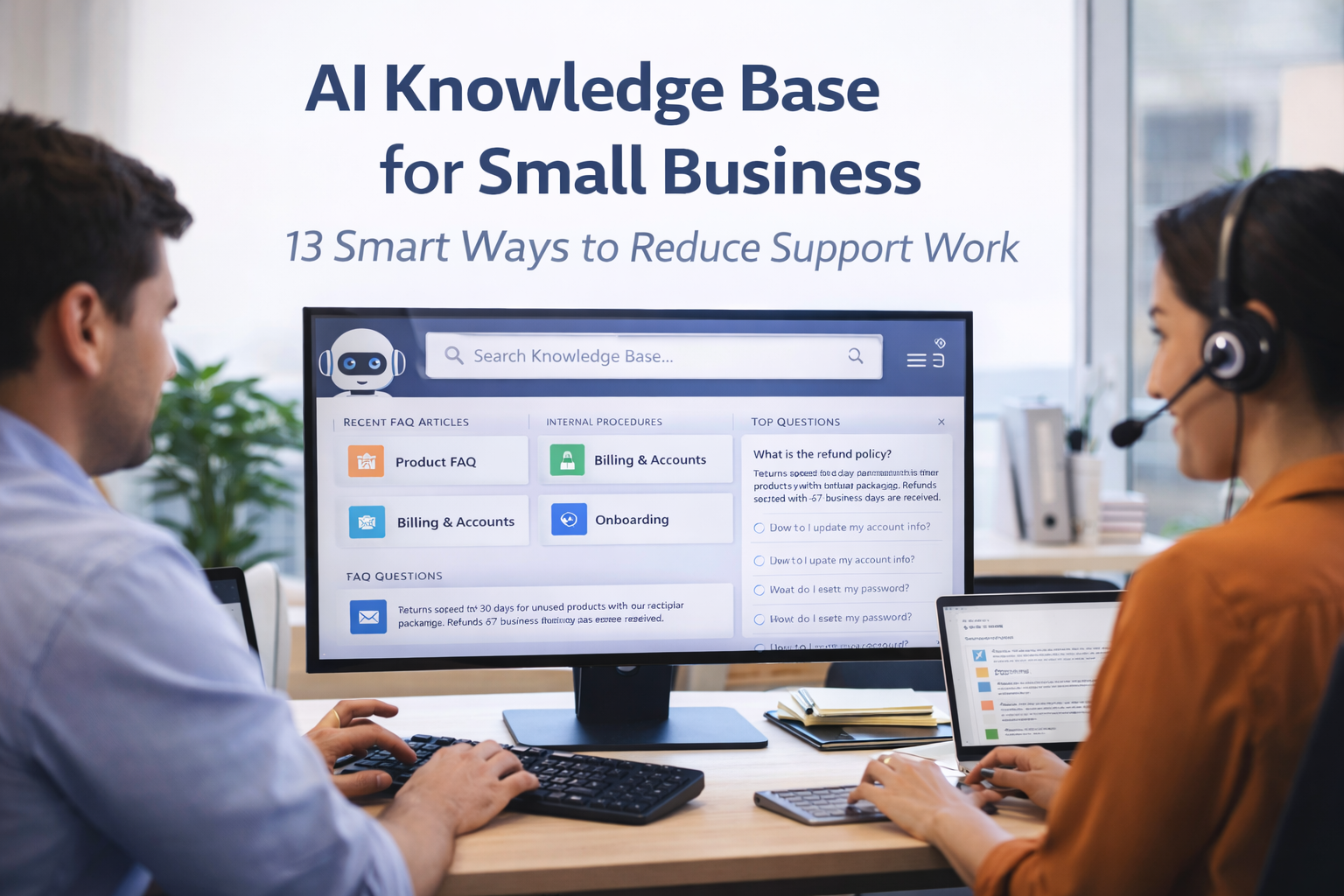
AI Knowledge Base for Small Business
AI Knowledge Base
Small businesses often lose time in places they do not immediately notice. A support agent answers the same product question for the tenth time that week. A manager explains the same internal process to every new hire. A team member searches through email threads to find an old decision. Someone asks where a file is stored, how a return policy works, what the latest service steps are, or which response template should be used with a customer complaint. None of these moments seem serious on their own. Yet together they create a hidden operating cost that slows growth, reduces consistency, and wears down the team.
This is exactly why AI knowledge base for small business has become such an important subject. Small companies are no longer just looking for ways to answer customer questions faster. They are also trying to preserve knowledge, reduce repeated explanations, and make their business easier to run as more people, clients, requests, and tools enter the picture. A well-built knowledge base is no longer just a library of articles. When combined with AI, it becomes an active operating layer that helps people find answers faster, keeps information better organized, and reduces the amount of repetitive support and training work the team must do manually.
For many small businesses, knowledge is scattered across inboxes, chat apps, call notes, shared documents, spreadsheets, CRM records, onboarding PDFs, and the minds of a few experienced employees. That may work in the earliest stage of the company, but it breaks down as soon as the business begins to scale. The more scattered knowledge becomes, the more time the team wastes trying to recover it. The more the company depends on a few people remembering everything, the more fragile daily operations become.
An AI-powered knowledge base helps solve this problem by making information more findable, more usable, and more actionable. Instead of asking staff to manually dig through old messages or re-explain the same answers, the system can help surface relevant information, summarize policies, recommend support content, and guide both customers and employees toward clearer next steps. That does not mean the business removes human judgment. It means the business stops wasting human attention on preventable repetition.
The strongest businesses are not always the ones with the biggest teams. They are often the ones that can access the right information at the right time without unnecessary delay. For a small business, that ability is not just convenient. It is a competitive advantage.
Key Aspects of AI Knowledge Base
Many business owners assume that knowledge management is a problem for larger companies. They imagine formal documentation as something enterprises need because of multiple departments, complex compliance rules, and large staff numbers. In reality, smaller businesses feel the pain of undocumented knowledge much sooner, because they have less room for confusion.
When a small team lacks a clear system for storing and retrieving information, the same people get interrupted repeatedly. The founder is asked how a special pricing rule works. The operations manager is asked where a contract template lives. The support lead is asked how to handle a refund exception. The senior employee becomes the default answer engine for the entire business. Over time, this pattern becomes expensive.
The problem is not only the number of questions. It is the cost of interruption. Every repeated explanation pulls attention away from deeper work. It increases response delays, weakens onboarding, and creates inconsistency because answers are given slightly differently depending on who is asked and when the question comes up. This is especially damaging in customer-facing businesses where clarity and speed directly affect trust.
As the company grows, the issue gets worse. More staff means more handoffs. More products or services mean more policy questions. More customers mean more support volume. More tools mean more places where information can get trapped. Without a system that actively organizes knowledge, growth itself starts producing friction.
This is why an AI knowledge base matters. It does not simply store information. It improves how information is discovered, summarized, connected, and reused. That makes it valuable not only for customer support, but also for onboarding, operations, sales enablement, process documentation, and daily decision-making.
What an AI Knowledge Base Actually Means for a Small Business
The phrase may sound technical, but the practical idea is simple. An AI knowledge base for small business is a structured collection of internal or customer-facing information supported by artificial intelligence features that improve search, summarization, recommendation, and content creation. In plain terms, it helps people find better answers faster.
A traditional knowledge base might consist of help center articles, internal SOPs, process documents, policy guides, and FAQ pages. Those resources are useful, but they often depend on good manual organization and exact keyword search. If the article title is unclear, the document is outdated, or the person searching uses different wording, the right answer can still be hard to find.
AI improves this by making search more semantic and more flexible. A user does not always need to guess the perfect keyword. They can ask a natural question and the system can surface relevant content, summarize the answer, or point to the best source. AI can also help identify gaps in documentation, recommend related resources, classify content by topic, and assist in drafting or updating articles based on recurring questions.
For small businesses, this matters because time is limited. Employees do not have the patience to search across five tools just to confirm a process. Customers do not want to wait for a simple answer that should already be documented. A strong AI knowledge base reduces that friction by turning scattered information into something the business can actually use in real time.
The key point is that AI does not replace the need for clear documentation. It makes clear documentation more powerful. Bad content does not become good just because AI is added on top. The foundation must still be useful, accurate, and well structured. AI simply increases the speed and quality of retrieval, reuse, and maintenance.
13 Smart Ways AI Knowledge Base for Small Business Reduces Support Work
1. It answers repetitive questions faster
Small businesses usually receive the same core questions again and again. Customers ask about pricing, turnaround time, shipping, account access, service scope, return policies, scheduling, or setup steps. Internally, employees ask about workflows, templates, responsibilities, or approval rules. An AI-supported knowledge base helps surface those answers quickly without requiring someone to respond manually every time.
2. It makes support teams more consistent
When answers live mostly in people’s heads, response quality varies. One employee gives a detailed explanation, while another provides a shorter version or misses an important detail. A knowledge base creates a shared source of truth, and AI helps support staff find and use that information faster. This improves consistency across channels and across team members.
3. It improves self-service for customers
Many customers prefer solving simple issues on their own if the answers are easy to find and understand. An AI-enhanced help center can guide users to the most relevant article, interpret natural-language questions, and reduce the number of low-complexity tickets that reach the support team. That lowers support volume without harming service quality.
4. It reduces onboarding repetition
New hires often ask the same operational questions for understandable reasons. Where are files stored? How do we handle exceptions? Which system is used for this workflow? What is the approved messaging for a specific scenario? A strong internal knowledge base shortens the learning curve, and AI helps new employees locate answers without needing constant live help.
5. It preserves important business knowledge
Small companies are often more dependent on a few key people than they realize. When knowledge is undocumented, the business becomes vulnerable to absence, turnover, or simple overload. AI knowledge tools make it easier to capture conversations, summarize decisions, and turn process knowledge into reusable documentation that does not disappear when one person is unavailable.
6. It supports faster ticket resolution
Support staff lose time when they know the answer probably exists somewhere but cannot find it quickly. AI can connect tickets to related articles, highlight likely solutions, summarize case history, and recommend internal instructions. This shortens handling time and helps agents solve problems without switching between too many systems.
7. It identifies gaps in documentation
Recurring questions are signals. If customers or employees keep asking the same thing, the business likely has a documentation gap. AI can detect these patterns across support messages, chats, and help center searches. That makes it easier to decide which new articles, SOPs, or internal guides should be created next.
8. It improves internal search quality
Keyword-based search often fails when the person searching uses different language from the person who wrote the document. AI search helps bridge this gap by understanding intent and context more effectively. This is especially valuable in small businesses where documentation is written by different people with different styles and terminology.
9. It helps turn messy notes into useful documentation
Many businesses already have the raw knowledge they need, but it exists in scattered forms such as meeting notes, support threads, voice transcripts, and informal checklists. AI can help summarize and restructure this material into cleaner documentation, making it easier to build and maintain a real knowledge system over time.
10. It reduces dependency on senior staff
Experienced employees often become bottlenecks because everyone relies on them for answers. An AI-supported knowledge base does not remove their expertise, but it makes more of that expertise accessible across the organization. This creates resilience and allows senior staff to spend more time on strategic work rather than constant clarification.
11. It strengthens customer trust
When customers receive clear, consistent, and fast answers, the business feels more reliable. A knowledge-driven support system helps reduce contradictory replies and delayed follow-ups. Even if a customer still needs human assistance, the quality of that assistance improves when the team can quickly access the right information.
12. It supports process standardization
Small businesses often struggle with process drift. Over time, employees start handling the same task in slightly different ways. A strong knowledge base creates shared operating standards, and AI makes those standards easier to retrieve when needed. This improves execution quality across support, sales, operations, and delivery.
13. It creates a better foundation for growth
Growth puts pressure on every weak system in a business. If knowledge is undocumented, growth produces more confusion. If knowledge is easy to access, growth becomes easier to manage. An AI knowledge base helps the company scale without letting information chaos expand at the same speed as demand.
Why This Topic Has More Business Value Than Generic AI Content
Many AI articles remain too broad to be useful. They discuss trends, future possibilities, or high-level productivity ideas, but they do not connect those ideas to specific operational pain points. Businesses searching for AI knowledge base for small business often have a more concrete problem. They are not just curious about AI. They are trying to reduce support workload, improve team documentation, and make repeated information easier to manage.
That makes this topic valuable because it sits closer to real business intent. The audience is often looking for a solution they can apply to customer support, internal operations, training, or service delivery. They may be evaluating software, comparing systems, planning content structure, or trying to reduce the burden on a small team. In other words, the search is often practical rather than purely informational.
This kind of content also performs better when it shows operational understanding. Small business owners do not want abstract language about innovation. They want to know how to reduce repeated explanations, shorten response time, document tribal knowledge, and keep the team aligned as the company grows. That is why more grounded, problem-focused content usually feels more useful and more credible.
Where Small Businesses Should Use an AI Knowledge Base First
Not every area needs to be documented at the same level from day one. Businesses get better results when they begin with the highest-friction knowledge zones. For many companies, customer support is the best first area because it contains frequent, repetitive, and time-sensitive questions. Product FAQs, service explanations, onboarding steps, troubleshooting guides, billing questions, and policy clarifications are all strong starting points.
The second major area is internal operations. Employees regularly need access to process instructions, tool usage rules, template links, approval steps, escalation paths, and task ownership details. If these answers are not easy to find, internal work slows down and interruptions multiply. An internal knowledge base reduces this operational drag.
Sales enablement can also benefit. Teams often need updated service descriptions, objection-handling language, pricing boundaries, offer comparisons, and proposal guidance. When sales knowledge is scattered, opportunities are lost or messaging becomes inconsistent. AI can help surface the right information quickly during lead conversations.
Onboarding is another high-value use case. Every new employee asks similar questions in their first weeks. A documented and searchable knowledge base reduces repeated explanations and helps new staff become productive faster. It also improves confidence because people can self-serve more of what they need.
The best starting point is usually the part of the business where the same question is being answered repeatedly and where delays create visible frustration. That is where documentation and AI assistance produce the fastest operational return.
What Makes a Knowledge Base Actually Useful Instead of Just Full
Some companies build documentation libraries that are technically large but practically weak. They contain too many articles, too much text, unclear titles, outdated steps, and poor structure. Information exists, but finding the right answer still feels difficult. This is one of the most common reasons knowledge bases fail.
A useful knowledge base is built around real user needs, not just documentation volume. Articles should answer specific questions clearly. Internal documents should reflect actual workflows. Titles should be searchable. Steps should be easy to follow. Screenshots, examples, and decision rules should appear where they reduce ambiguity. The goal is not to create more pages. The goal is to reduce uncertainty.
AI makes this even more important. If the underlying documentation is vague, duplicated, or outdated, AI may retrieve weak answers or summarize the wrong guidance. But when the content is clean and well organized, AI turns it into a much more efficient operating tool. That is why quality matters more than quantity.
Businesses should also think in terms of layers. Some knowledge should be customer-facing, such as FAQs, setup guidance, and return rules. Some should be internal-facing, such as exception handling, tool processes, and escalation instructions. The two layers may connect, but they should not be mixed carelessly. Clarity of audience improves clarity of documentation.
Common Mistakes Businesses Make With AI Knowledge Systems
The first mistake is assuming AI can fix disorganized information without cleanup. If documents are duplicated, contradictory, or buried in random locations, AI will not create clarity by magic. It may retrieve something, but the quality of that retrieval depends heavily on the quality of the source material.
The second mistake is documenting too broadly before documenting deeply. Businesses sometimes try to write about everything at once, resulting in shallow articles that do not truly solve any question. A better approach is to start with the highest-frequency issues and document them well.
The third mistake is treating documentation as a one-time project. Knowledge changes constantly. Policies evolve, tools are replaced, service details shift, and exceptions become formalized. A knowledge base must be maintained as part of operations, not forgotten after launch.
Another common problem is failing to define ownership. If nobody is clearly responsible for updating certain types of content, documentation goes stale quickly. Small businesses do not need a large knowledge management department, but they do need accountability. Someone should own support content, someone should own operational SOPs, and review cycles should be visible.
Businesses also make the mistake of ignoring user behavior. If customers keep searching for certain questions and failing to find the answer, or if employees keep asking managers instead of using the knowledge base, those are signals. The system may need better structure, clearer article names, stronger search relevance, or improved trust.
How AI Helps Maintain the Knowledge Base Over Time
One of the overlooked advantages of AI is not just retrieval, but maintenance support. Small businesses often delay documentation because writing and updating content feels like extra work. AI can reduce that burden by helping turn repeated conversations into article drafts, summarizing meeting decisions into process notes, and identifying content that may be outdated or missing.
For example, if support conversations repeatedly mention the same confusion point, AI can help suggest a new FAQ article. If an internal meeting changes a workflow, the notes can be summarized into a draft SOP update. If help center searches show that users keep looking for terms that do not map well to existing content, that signal can guide article restructuring.
This does not mean AI should be allowed to publish everything automatically. Review still matters, especially for customer-facing policies or critical operational steps. But AI can dramatically reduce the administrative effort required to keep knowledge current and useful.
This is important because stale documentation is sometimes worse than no documentation. Employees and customers lose trust in the system if they repeatedly find old or incomplete information. An AI-assisted maintenance process helps businesses avoid that decay.
How an AI Knowledge Base Supports Better Customer Support
Support teams perform better when they can locate accurate information quickly. An AI knowledge base shortens the distance between a customer question and a confident response. It can suggest relevant articles, pull up standard procedures, summarize order or case history, and reduce the time spent searching through fragmented records.
This is especially valuable in small businesses where support staff may also handle sales, admin, or operations tasks. They do not have time to manually assemble the answer from multiple sources every time. If the knowledge system can bring the right information closer to the point of interaction, support becomes faster and more reliable.
Knowledge-driven support also improves escalation quality. When a case must move to a more experienced team member, internal notes can be better structured, related procedures easier to attach, and context easier to preserve. That reduces back-and-forth and creates a smoother experience for the customer.
Over time, the support team also becomes smarter because recurring questions feed better documentation. In that sense, the knowledge base is not separate from support. It is one of the tools that makes support improve continuously.
How It Helps Internal Operations Beyond Support
Although customer service is one of the strongest use cases, the value of an AI knowledge base extends much further. Operations teams use it to confirm steps, locate templates, understand roles, and reduce avoidable delays. Sales teams use it to access service descriptions, pricing guardrails, case studies, and objection-handling language. Managers use it to preserve decisions and reduce dependency on verbal explanations.
Project-based businesses can use knowledge systems to document handoff rules, delivery standards, revision policies, approval workflows, and recurring client scenarios. Service businesses can use them to standardize intake, issue handling, escalation, and communication. Ecommerce teams can connect support content with logistics, returns, and product details. Agencies can document internal production steps and client communication standards.
The benefit is the same across these cases: less searching, less repeated explanation, less confusion, and more consistent execution. Small businesses often underestimate how much operational drag comes from not knowing exactly where the current answer lives. A knowledge base removes that drag when it is built and maintained properly.
How to Measure Whether It Is Working
Businesses should not evaluate a knowledge base only by how many documents exist. The real question is whether the system changes behavior and reduces friction. Several metrics can help show this clearly.
Support teams can track whether repetitive ticket volume decreases over time, whether first-response time improves, and whether ticket resolution becomes faster when articles are available at the point of support. Internal teams can track whether onboarding time shortens, whether repeated process questions decline, and whether managers experience fewer interruptions for routine clarifications.
Search behavior is another valuable signal. What are users searching for? Which searches fail? Which articles are used most often? Where do users abandon the process and ask a human anyway? These patterns reveal whether the knowledge base is solving real problems or simply storing information passively.
Businesses can also review quality indicators such as article freshness, update frequency, ownership clarity, and documentation gaps surfaced from support patterns. The most useful knowledge systems are not static. They improve as questions and workflows evolve.
Why This Becomes More Important as the Business Grows
Growth creates more questions, more exceptions, more handoffs, and more opportunities for misalignment. If knowledge is not well captured and accessible, every layer of growth amplifies confusion. New staff learn from different people. Customers receive uneven answers. Processes drift. The business becomes more dependent on memory at the exact moment when memory is least reliable.
This is why AI knowledge base for small business should be viewed as infrastructure rather than just content. It supports smoother support, stronger onboarding, clearer operations, and more consistent communication. It helps a company remain usable to itself as complexity increases.
The businesses that benefit most are not the ones creating the most documents. They are the ones turning knowledge into a dependable operating asset. AI helps by making that asset easier to search, update, connect, and apply. For a small business with limited time and limited margin for confusion, that capability matters greatly.
Final Thoughts
An AI knowledge base is one of the most practical ways a small business can reduce repetitive work without reducing quality. It helps customers find answers faster, helps employees work with more confidence, and helps managers spend less time re-explaining the same things. More importantly, it protects the business from the chaos that comes when important knowledge is scattered or trapped inside a few people’s heads.
The smartest approach is not to document everything at once. It is to start where repetition is highest and confusion is most costly. Build the support content that gets asked for constantly. Document the internal processes that interrupt managers every day. Capture the decisions that keep being forgotten. Then use AI to make that knowledge easier to retrieve and maintain.
Done well, this is not just a documentation project. It is an operational upgrade. And for small businesses that want to grow without becoming slower, messier, and more dependent on memory, that upgrade can be one of the most valuable systems they build.
Frequently Asked Questions
What is an AI knowledge base for small business?
It is a structured collection of internal or customer-facing information enhanced by AI features such as semantic search, summarization, answer recommendation, and content drafting. It helps businesses find and use knowledge faster.
How does an AI knowledge base reduce support work?
It reduces repetitive questions, improves self-service, helps staff find answers faster, standardizes responses, and supports faster ticket resolution by connecting support cases with relevant documentation.
Is an AI knowledge base only useful for customer support?
No. It can also improve onboarding, internal operations, sales enablement, process documentation, and team training by making critical information easier to access and reuse.
What should a small business document first?
The best starting point is usually the questions and processes that occur most often and create the most friction when they are unclear, such as FAQs, support workflows, onboarding steps, refund rules, or internal SOPs.
Can AI maintain the knowledge base automatically?
AI can assist heavily with drafting, summarizing, and identifying content gaps, but human review is still important, especially for policy, process, and customer-facing accuracy.
AI Knowledge Base remains a practical priority. AI Knowledge Base remains a practical priority. AI Knowledge Base remains a practical priority. AI Knowledge Base remains a practical priority. AI Knowledge Base remains a practical priority. AI Knowledge Base remains a practical priority. AI Knowledge Base remains a practical priority. AI Knowledge Base remains a practical priority. AI Knowledge Base remains a practical priority. AI Knowledge Base remains a practical priority.
Related articles
AI Knowledge Base remains a practical priority.
AI Knowledge Base matters in practical implementation. AI Knowledge Base matters in practical implementation. AI Knowledge Base matters in practical implementation. AI Knowledge Base matters in practical implementation.
AI Knowledge Base matters in practical implementation.
seo-refresh:1781617510 ->
Related articles
seo-refresh:1781767395 -->